Completion certificate
After completing the lessons and final test, you receive a certificate to validate your progress.
Digitow Typing Software
Digitow teaches you step by step how to position your fingers, build speed and track progress with clear reports, rankings and certification.
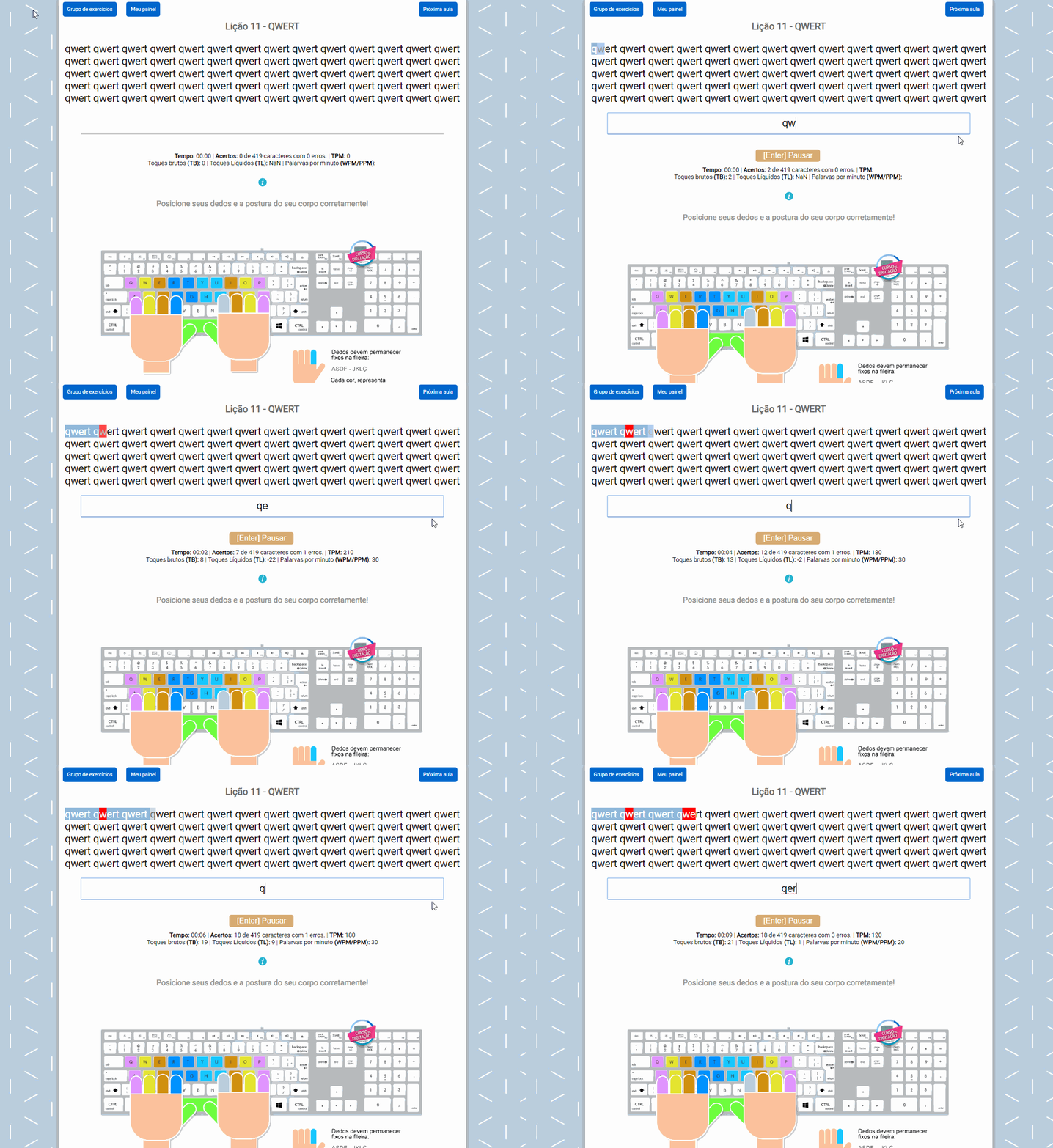
Access lessons, reports, progress tracking and personalized training to improve your typing with confidence.
We built an exclusive platform for people who want to type correctly, track progress in real time and gain speed with technique.
After completing the lessons and final test, you receive a certificate to validate your progress.
Track speed, accuracy, mistakes, correct strokes and lesson history with clear data.
Start with a visual guide to understand posture, hand placement and how to use the platform.
Practice with metrics adapted to public exams and practical tests that require specific calculations.
Compare your performance with other users and turn practice into daily motivation.
Your results are saved so you can view your evolution and improve strategically.
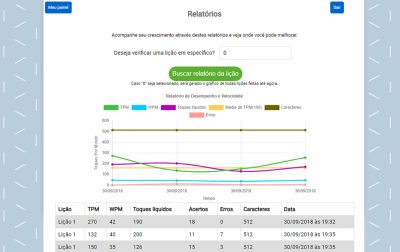
Track CPM, net keystrokes, WPM, mistakes, correct entries and other indicators in clear reports built to measure improvement.
The platform was created so you can learn at your own pace with autonomy, proper technique and continuous feedback.
An experience developed specifically for typing practice, going far beyond the basics.
Special licenses for schools, training centers, HR teams and companies.
Use it on different devices with an updated browser and internet connection.
If you still have questions about the course, here are the answers to the most common ones.
It is designed for anyone who uses a computer and wants to improve typing speed and accuracy, including students, office professionals, public exam candidates, schools and companies.
Speed comes from technique. Start slowly, use the right fingers and maintain proper hand position. As muscle memory improves, speed follows naturally.
You need an updated browser, internet access and a physical keyboard. The platform works across different systems and devices.
After completing the lessons, you can take the final typing test and unlock your certificate once you reach the required score.
You can try the platform for 7 days and explore the main features before choosing a plan.
Try interactive lessons, reports, ranking and more. It is fully online and you can start without commitment.
No credit card required. Try it free now